- Home Page /
- Office Products /
- Office Electronics /
- Presentation Products /
- Presentation Remotes /
- Presentation Clicker, 2.4GHz USB Wireless Rem...
0 ratings







Item #:
118223435
Presentation Clicker, 2.4GHz USB Wireless Remote for POWERPOINT, Computer and Laptop
Item #:
118223435
AED 82
Price Details
Excluding Shipping & Custom charges ( Shipping and custom charges will be calculated on checkout )
*All items will import from US
0 ratings
Write a review
In stock
 Imported from USA store
QTY:
Order now and get it around Wednesday, August 05
Secured transaction
Ubuy works hard to protect your security and privacy. Our advanced payment security system ensures confidentiality by encrypting your information during transmission using AES (Advanced Encryption Standards) and SSL (Secure Socket Layer) protocols. Your payment details are 100% secure as we do not share your payment details with third party sellers.
Our Top Logistics Partners


This presentation clicker is a practical tool for teachers and workers to present PowerPoint for speech, meetings, or classes.

Buy Now Pay Later

Fast
Shipping

Free
Return*

Secure Packaging

100% Original Products

PCI DSS Compliance

ISO 27001 Certified


Note: Step Down Voltage Transformer required for using electronics products of US store (110-120). Recommended power converters Buy Now.


What Stands Out
Wireless Connectivity
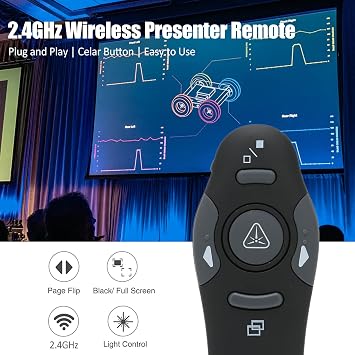
Enjoy seamless presentations with the 2.4GHz wireless technology that offers stable connectivity, allowing you to move freely up to 100 feet away from your computer.
User-Friendly Design
The intuitive button layout ensures quick access to essential features like laser pointer and slide navigation, enabling effective communication without distractions.
Cross-Compatibility
Supports various software platforms including PowerPoint and Keynote, making it an ideal choice for educators and professionals using different devices and operating systems.
Product Details
- [ Connection] This Presentation Clicker Pointer uses 2.4Ghz technology, the presentation remote pen can remotely control the demonstration at about 10 meters.
- [Multi Functions] Presentation Pointer, comprehensive slide presentation functions, including forward, return, pause, start and black screen functions.
- [Wide Application] This Presenter Clicker for PPT is a practical tool for teacher and worker to present for speech, meeting or class.
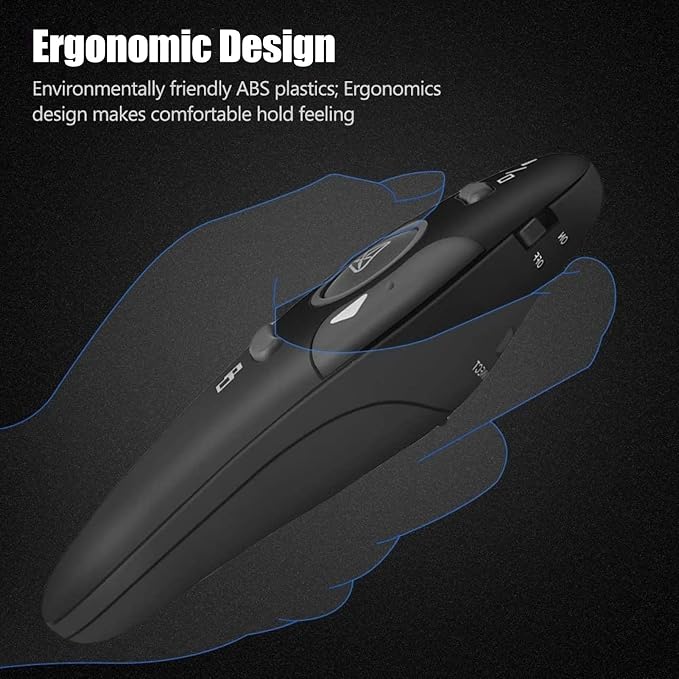
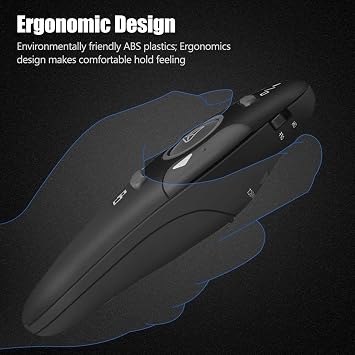
- [Ergonomic Design] This USB Presenter comes with unique curved design, the presenter remote conforms to ergonomics, so it will not be sore when held for a long time.
- [Widely Compatible] This Clicker for Laptop Presentations is suitable for 98,for se, for me, for 2000, for vista, for OS X, for Linux.
Product Technical Details
| Manufacturer | Yoidesu |
| Brand | Yoidesu |
| Item Weight | 1.44 ounces |
| Package Dimensions | 5.91 x 2.44 x 1.26 inches |
| Item model number | Yoidesu3dx2gz0iup8078 |
| Material Type | Plastic |
| Number of Items | 1 |
| Manufacturer Part Number | Yoidesu3dx2gz0iup8078 |
Who Should Buy?

-
Educators and Teachers
Ideal for teachers conducting lectures, allowing seamless navigation through slides while engaging with students.
-
Corporate Presenters
Perfect for professionals delivering presentations, enabling them to control slides hands-free and maintain audience focus.
-
Frequent Conference Speakers
Great for speakers at conferences, offering convenience and mobility to navigate slides during talks effortlessly.

-
Casual Users
Not suitable for casual users who rarely give presentations and do not require a clicker.
-
Budget Shoppers
May not be ideal for those seeking cheaper alternatives, as it may be priced higher than basic options.
-
Technical Neophytes
Could be challenging for users unfamiliar with technology, requiring easier-to-use options for effective presentation management.
Product Description
Have any Query? Chat with us
Customer Questions & Answers
-
Question:
What is a Presentation Clicker?
Answer: A Presentation Clicker, also known as a presenter remote, is a handheld device designed to control presentations on computers and laptops wirelessly. It allows users to navigate slides, advance forwards or backwards, and often includes features like a built-in laser pointer. This tool enhances the presentation experience by enabling presenters to engage with their audience without being tethered to their computers, providing freedom to move around the room. -
Question:
How do I connect the Presentation Clicker to my computer?
Answer: To connect a Presentation Clicker to your computer, simply plug the USB receiver into an available USB port. Most presentation clickers operate on a plug-and-play basis, meaning your computer will automatically recognize the device. Ensure that any necessary drivers are installed if prompted. This straightforward setup is ideal for those looking to streamline their presentation experience, making it suitable for both experienced and novice users. -
Question:
Is the Presentation Clicker compatible with both Windows and Mac systems?
Answer: Yes, the Presentation Clicker is designed for universal compatibility, making it functional with both Windows and Mac systems. It utilizes standard wireless technology that is recognized by most operating systems. This versatility means you can easily switch between different platforms, whether you're using a PC, laptop, or even a Mac for your presentations. This feature is particularly beneficial for professionals who may encounter diverse environments. -
Question:
What is the range of the Presentation Clicker?
Answer: Most Presentation Clickers operate effectively within a range of approximately 30 feet (10 meters). This allows presenters to move around the room freely without losing control of their slides. The 2.4GHz wireless technology provides a strong signal that minimizes interruptions during your presentation, making it an excellent choice for classrooms, conference rooms, and larger venues where mobility enhances audience engagement. -
Question:
Does the Presentation Clicker have a built-in laser pointer?
Answer: Yes, many models of Presentation Clickers come with a built-in laser pointer, enabling presenters to highlight specific information on their slides or whiteboards. This feature aids in focusing the audience's attention on key points and enhances the overall visual clarity of the presentation. It is particularly useful during training sessions or educational presentations where detail is paramount. -
Question:
Can I use the Presentation Clicker for online meetings or webinars?
Answer: Absolutely! The Presentation Clicker is an excellent tool for online meetings and webinars as well. While it's typically used for in-person presentations, the ability to control your slides from a distance enhances your presentation style even in virtual settings. By utilizing the clicker, you can maintain eye contact with your audience instead of being rooted at your computer, creating a more engaging and interactive experience. -
Question:
How do I replace the battery in the Presentation Clicker?
Answer: Replacing the battery in a Presentation Clicker usually involves locating the battery compartment, which is typically found at the back of the device. Open the compartment, remove the old battery, and insert a new one, ensuring you match the polarity markings. Regular maintenance by checking battery levels before presentations can ensure reliability and avoid interruptions during crucial moments. -
Question:
What should I do if my Presentation Clicker is not responding?
Answer: If your Presentation Clicker is not responding, first check the battery level and replace it if necessary. Then, ensure that the USB receiver is properly connected to your computer. If the issue persists, try re-plugging the receiver, or restarting your computer. Lastly, consult the user manual for troubleshooting tips specific to your model, ensuring that you maximize its functionality during important presentations. -
Question:
Where can I buy the Presentation Clicker?
Answer: You can buy the Presentation Clicker from Ubuy, which offers a wide selection of presentation remotes including the Presenter Remote Clicker for presentations. Ubuy provides a reliable purchasing option with various options tailored to your needs. It’s a great platform to browse through numerous models and choose the one that fits your presentation style and requirements.
Yoidesu Presentation Remotes Yoidesu3dx2gz0iup8078 Editorial Review
No editorial reviews found
Customer Reviews & Ratings
1 customers ratings
-
5 Star
100%
-
4 Star
0%
-
3 Star
0%
-
2 Star
0%
-
1 Star
0%
Review this product
Share your thoughts with other customers
Product Price History
Important information
- Limitations : For products shipped internationally, please note that any manufacturer warranty may not be valid; manufacturer service options may not be available; product manuals, instructions, and safety warnings may not be in destination country languages; the products (and accompanying materials) may not be designed in accordance with destination country standards, specifications, and labeling requirements; and the products may not conform to destination country voltage and other electrical standards (requiring use of an adapter or converter if appropriate). The recipient is responsible for assuring that the product can be lawfully imported to the destination country. When ordering from Ubuy or its affiliates, the recipient is the importer of record and must comply with all laws and regulations of the destination country.
- Not all the products listed on Ubuy are for sale, as Ubuy is a global search engine. Products are subject to export/trade regulations.
AED 82
Order now and get it around Wednesday, August 05
This item is not restrict in my country.(Please click on above link if this item is not restrict in your country, So our team will review and allow.)
QTY:
Secured transaction
Ubuy works hard to protect your security and privacy. Our advanced payment security system ensures confidentiality by encrypting your information during transmission using AES (Advanced Encryption Standards) and SSL (Secure Socket Layer) protocols. Your payment details are 100% secure as we do not share your payment details with third party sellers.
Our Top Logistics Partners
Fastest cross-border delivery
Features & Benefits
- Bright red laser light for clear visibility.
- Wireless control up to 10 meters for ease of movement.
- Ergonomic design for comfortable long-term use.
- Plug and play with 2.4GHz wireless technology.
- Compatible with multiple operating systems including Windows and OS X.
- Durable, high-quality materials ensure longevity and comfort.