- الصفحة الرئيسية /
- Home Improvement /
- Electrical /
- المصابيح الكهربائية /
- Grow Light Bulbs /
- All Grow Light Bulbs /
- 2025 Spider Farmer Genius Grow System AC10 Po...
0 ratings




منتج #:
164294534
2025 Spider Farmer Genius Grow System AC10 Power Strip Kit App-Based Smart Strip
منتج #:
164294534
AED 501
تفاصيل السعر
باستثناء رسوم الشحن والجمارك ( سيتم احتساب رسوم الشحن والجمارك عند إتمام الشراء )
*سيتم استيراد جميع العناصر من أمريكا
0 ratings
اكتب رأيك
متوفر فى المخزون
 مستورد من متجر USA
كمية:
بقي 10 فقط من المنتج في المخزن.
اطلب الآن واحصل عليه حول الأربعاء, أكتوبر 14
معاملة آمنة
تعمل يوباي جاهدة لحماية أمنك وخصوصيتك. يضمن نظام أمان الدفع المتقدم لدينا السرية من خلال تشفير معلوماتك أثناء النقل باستخدام بروتوكولات AES (معايير التشفير المتقدمة) وSSL (طبقة المنافذ الآمنة). تفاصيل الدفع الخاصة بك آمنة بنسبة %100 لأننا لا نشارك تفاصيل الدفع الخاصة بك مع بائعين تابعين لجهات خارجية
أفضل شركائنا اللوجستيين


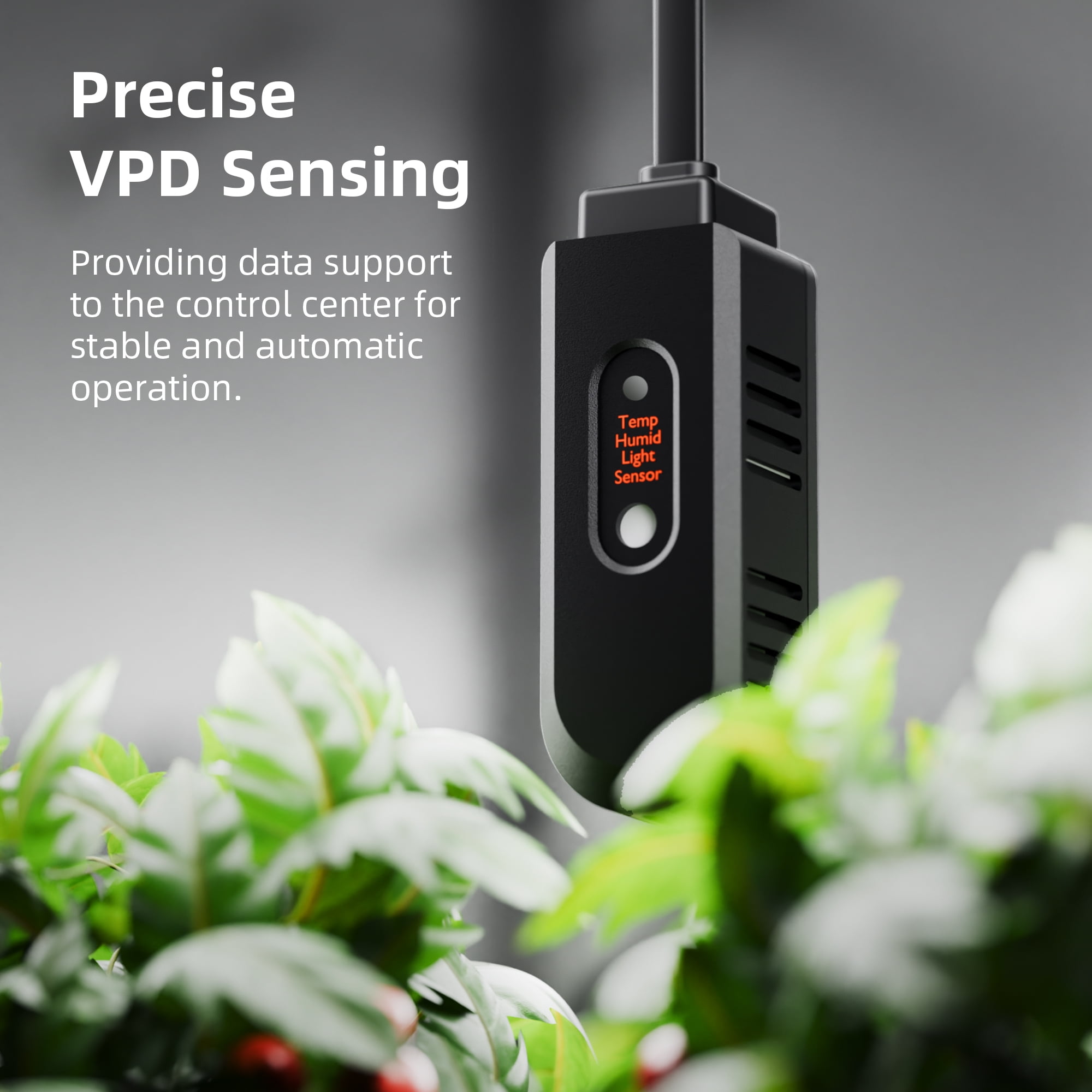
Get precise readings of temperature, humidity, and VPD right from your smartphone with the Spider Farmer App.

اشتر الآن وادفع لاحقاً

شحن
سريع

استرجاع
مجاني*

تغليف آمن

منتجات أصلية %100

الامتثال لمعيار PCI DSS

حاصل على شهادة ISO 27001




Note: Step Down Voltage Transformer required for using electronics products of أمريكا store (110-120). Recommended power converters اشتري الآن.


أبرز ما يلفت الانتباه
Smartphone Control
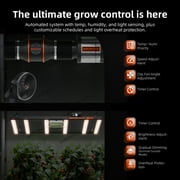
Easily manage your grow setup through a dedicated app, allowing you to automate functions and monitor performance remotely for maximum efficiency and convenience.
Energy Efficient Design
The AC10 Power Strip is engineered to minimize energy consumption while ensuring optimal power distribution, helping users save on utility bills without compromising on performance.
Multiple Outlets
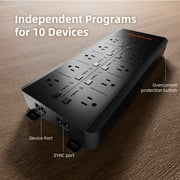
Equipped with multiple outlets and smart scheduling, this power strip allows users to connect various devices, making it versatile for different grow setups and enhancing overall productivity.
تفاصيل المنتج
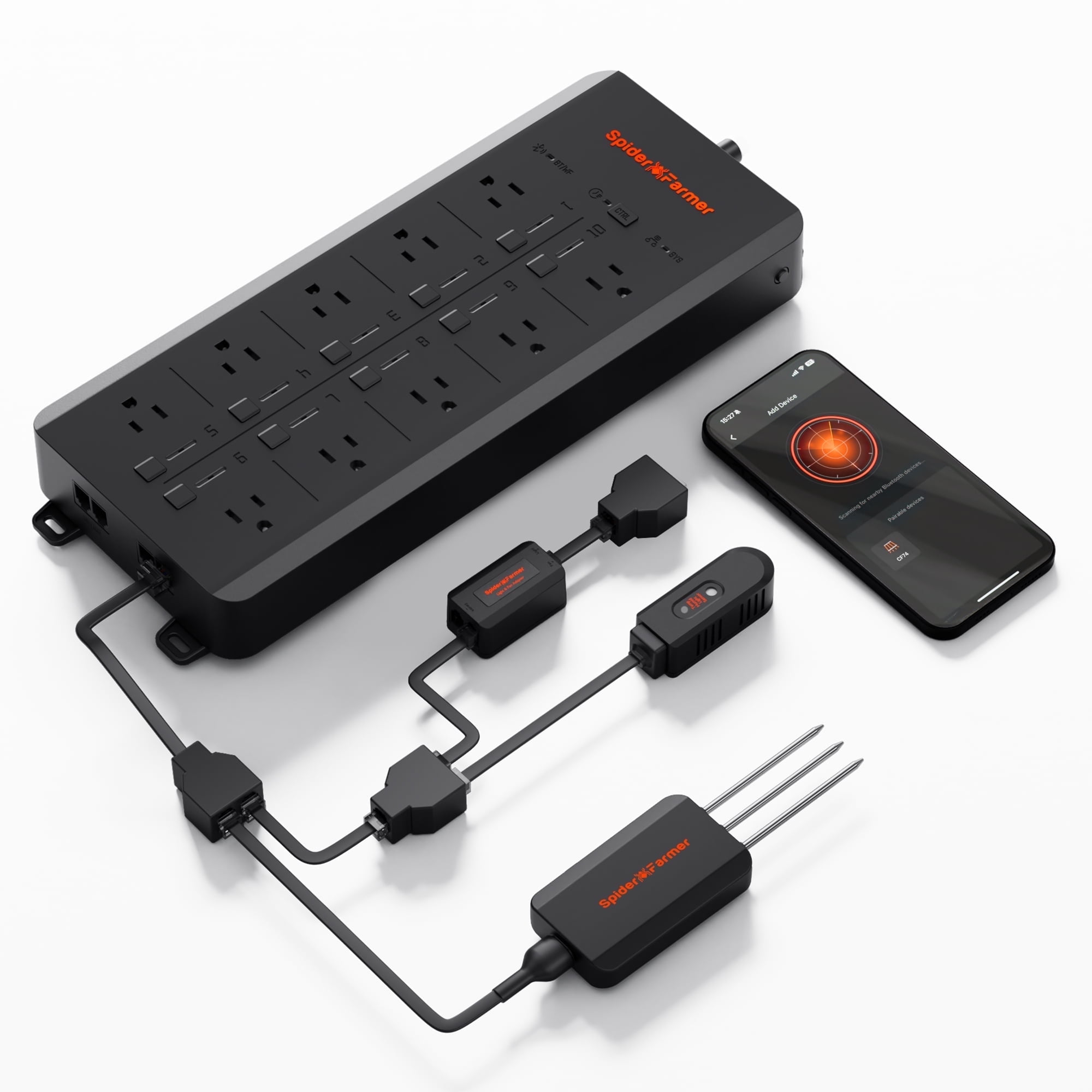
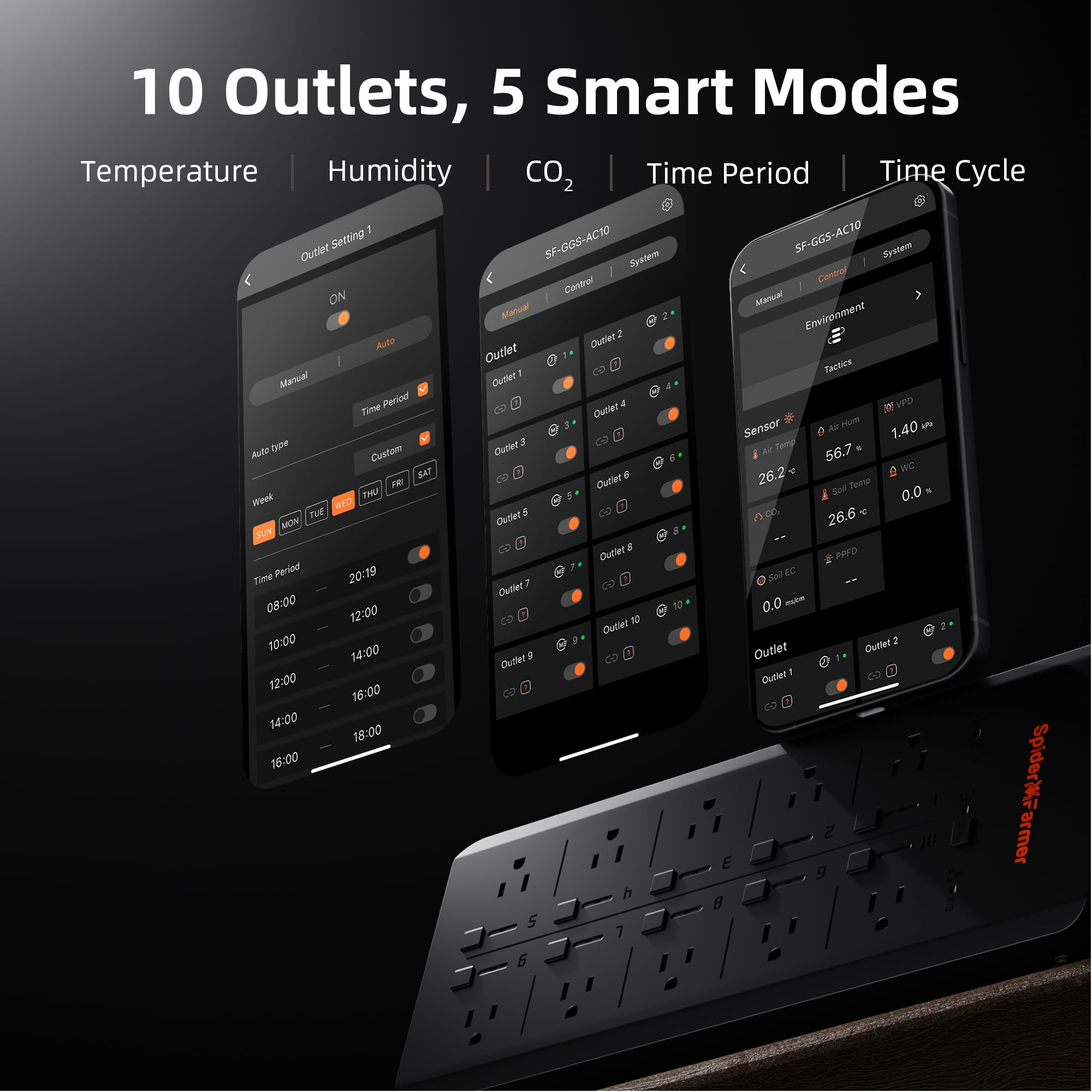
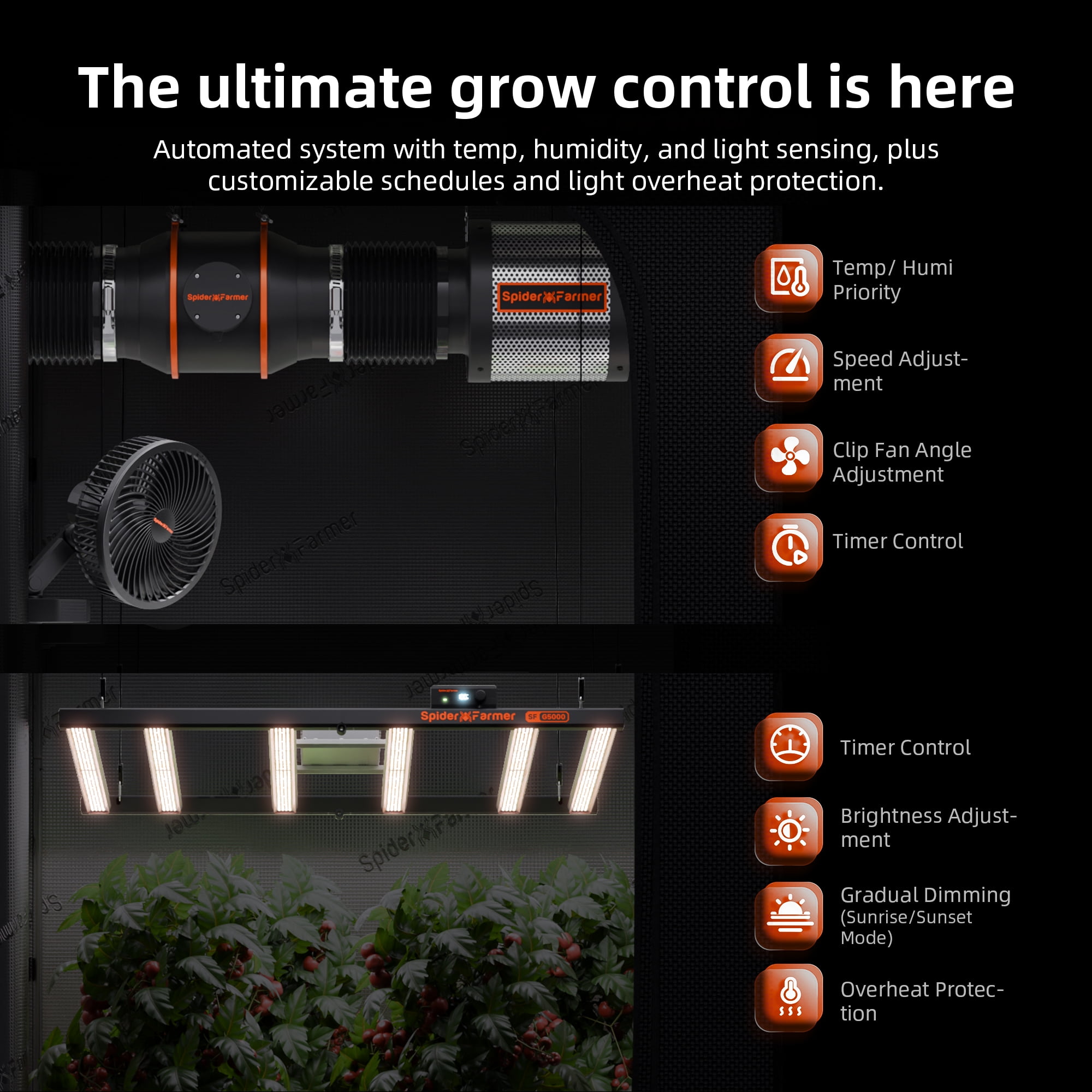
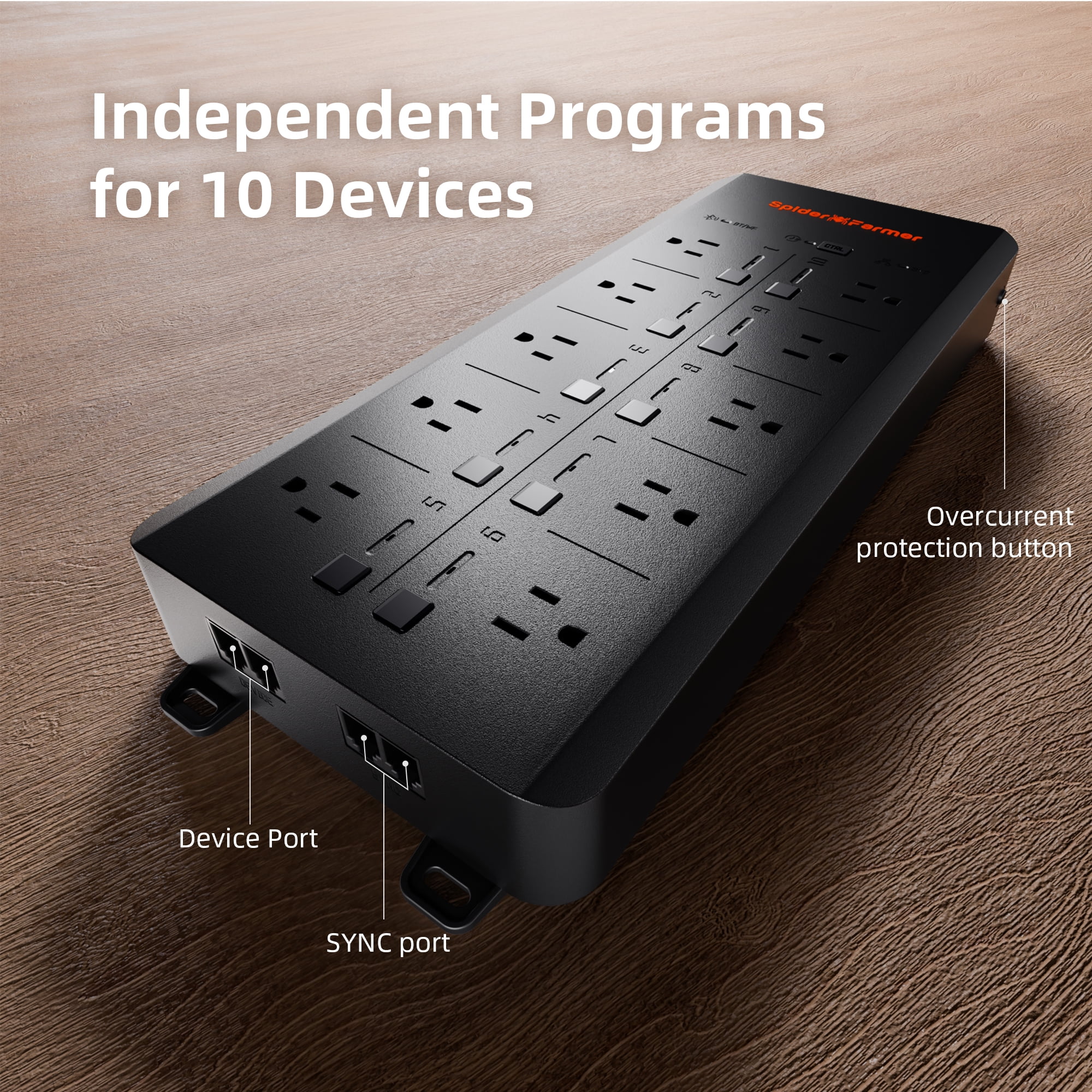
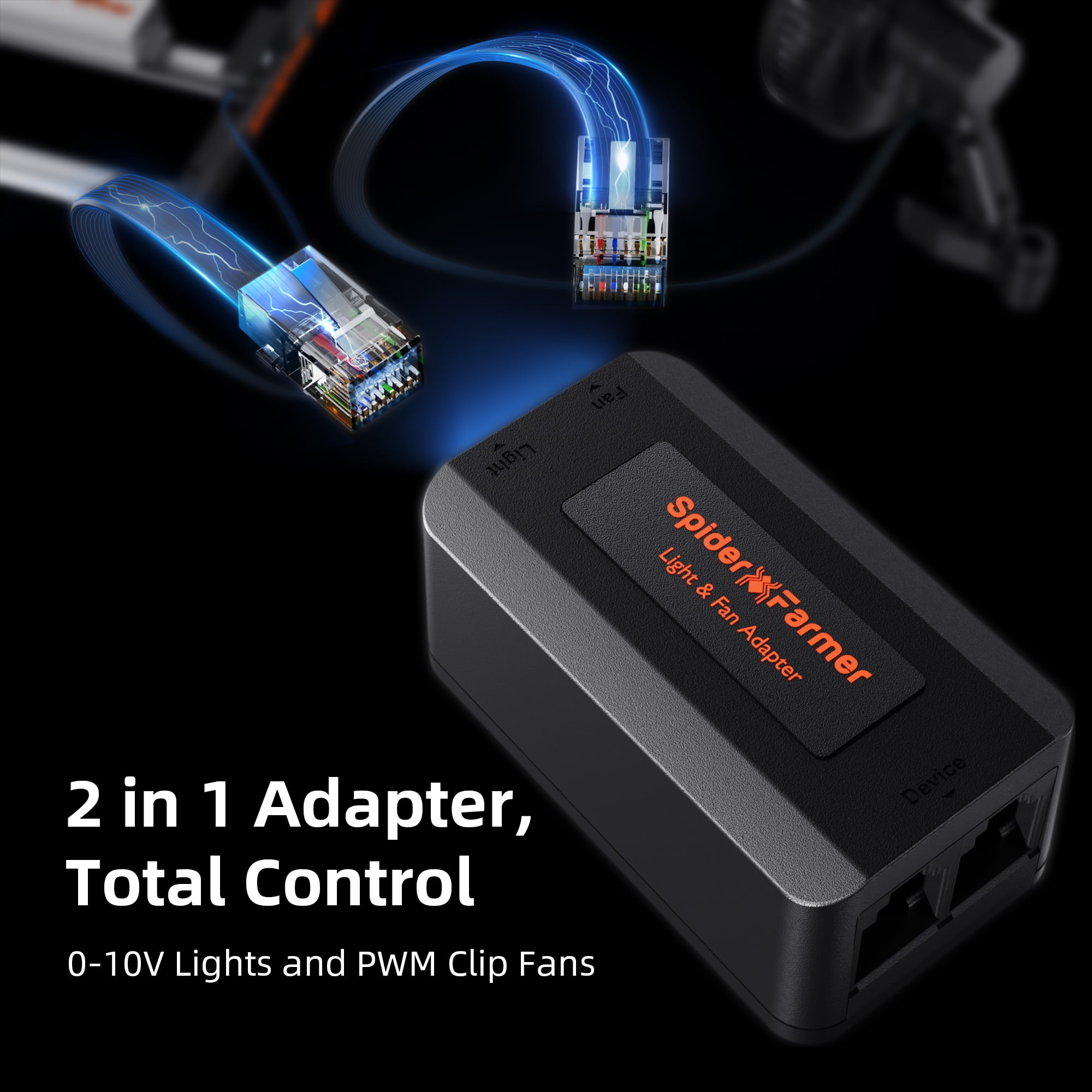
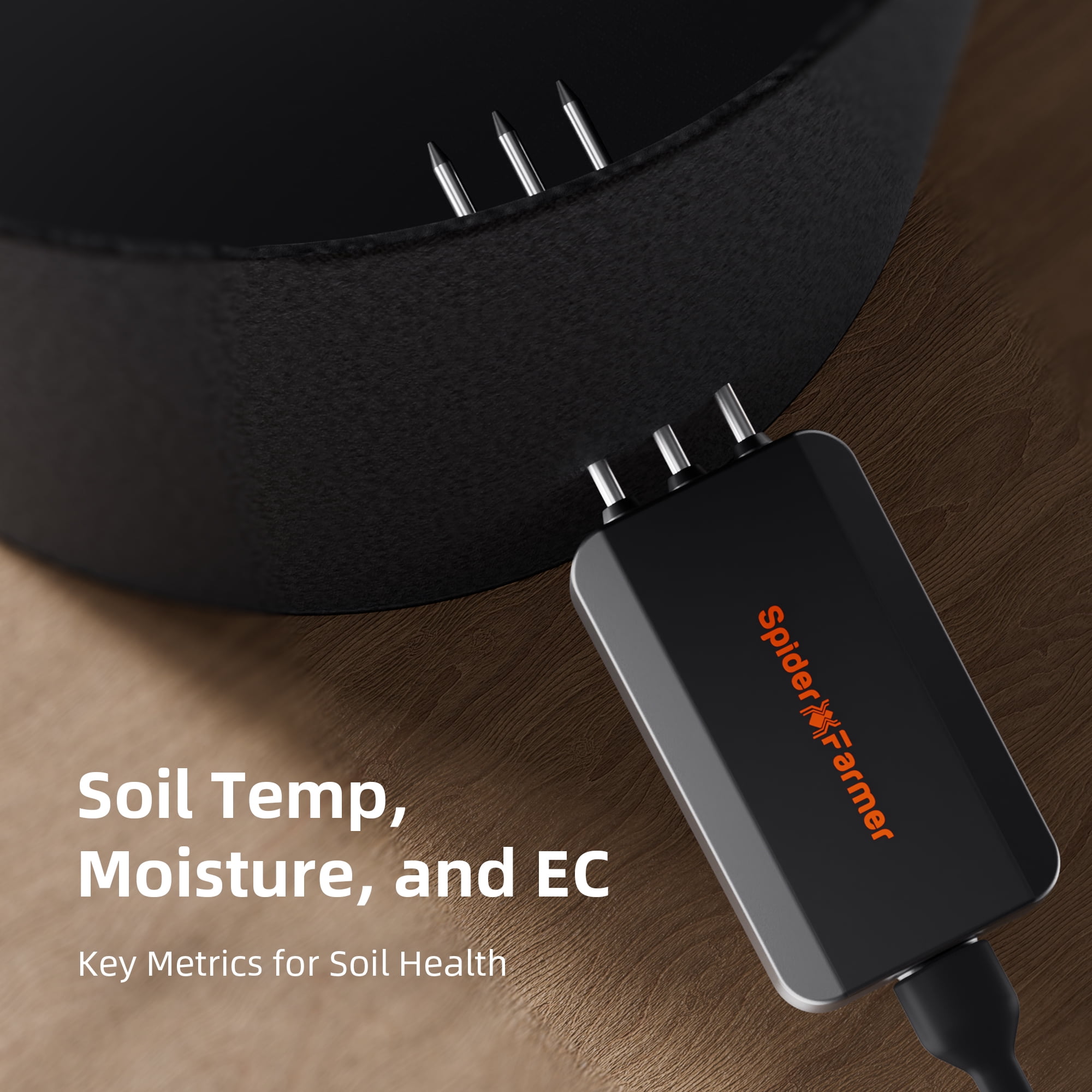
- Spider Farmer GGS AC10 Power Strip Kits Spider Farmer App Functions and Settings 1. Download the Spider Farmer App Search for 'Spider Farmer' on Google Play or the App Store, and download the app.        2. Language, Signup, and Bluetooth Once you open the app, pick your language and sign up with your email. The app will then ask you to turn on Bluetooth. 3. Finding and Identifying Your Spider Farmer Devices 3.1 Starting Device Search Tap the plus icon to begin searching for nearby Spider Farmer devices. Detected devices will appear in the app, and you can identify them by their icons. 3.2 Troubleshooting Device Discovery If you can't locate your device, try the following steps based on the device type: If you have a Spider Farmer AC5/AC10 Power Strip: Press and hold the Ctrl button for 3 seconds to reset Bluetooth. If you have an LED Grow Light with a Digital Display: Press and hold the knob for 3 seconds, then release to restore factory settings. If you have a Spider Farmer GGS Controller: Select “Restore Factory Settings†from the interface. Note: Restoring factory settings will delete all automation schedules and user connections. 3.3 Setting Up the SF-GGS-AC10 Kit If you’ve purchased the SF-GGS-AC10 Kit, follow these steps: Use the RJ12 cable to connect devices according to the provided diagram. (If you need to control the LED grow light, the GGS 2-in-1 adapter (included in this kit) is required. You’ll need to plug the light into the “light†port on the adapter.) Ensure all devices are plugged into a power source, as the RJ12 cable does not provide power. The sensor only requires the RJ12 connection. Open the app, search for your devices, and tap the Power Strip icon to start the setup.     4. What Data Can You View on the Spider Farmer App? 4.1 Time Display: Quickly check the current date and time in your grow room with ease. 4.2 Day/Night Icon: See at a glance if your grow tent is in its light or dark cycle. A sun icon appears when light is detected, and a moon icon shows during dark periods. This feature allows you to monitor light conditions without opening the tent. (Requires the temperature, humidity, and light sensor included in this GGS AC5 Power Strip kit) 4.3 VPD and Temperature/Humidity Display: Get precise readings for temperature, humidity, and Vapor Pressure Deficit (VPD). (Requires the temperature, humidity, and light sensor included in this GGS AC5 Power Strip kit; Tip: Place the sensor at canopy level in the center of your growing area for the most accurate readings.) 4.4 Soil Data Display: Ideal for soil growers, this display shows real-time soil temperature, moisture, and Electrical Conductivity (EC). 4.5 COâ‚‚ Display: (This kit doesn’t include the sensor needed to measure that data) With an optional COâ‚‚ sensor, you can directly monitor COâ‚‚ levels, enabling you to optimize COâ‚‚ concentration for faster growth. (Note: This sensor is sold separately and is not yet available in Europe—stay tuned.) 4.6 PPFD Display: (This kit doesn’t include the sensor needed to measure that data) Please note: To see PPFD data, you'll need an extra PPFD sensor, which isn’t included in this kit. It’ll be sold separately in the future, but it's not available yet. 4.7 Sensor Placement Recommendations 5. Preparations Before Configuring Device Operations 5.1 Environmental Conditions Settings 5.1.1 Day/Night Cycle Optimization: Define the time range for day and night periods. The day starts from the day start time and ends at the night start time, while night starts from the night start time and ends at the day start time. If both start times are set the same, the system defaults to 24 hours of day mode. 5.1.2 Environmental Conditions Settings: Set target values for temperature, humidity, and COâ‚‚ levels for both day and night, along with the deadband range. 5.1.3 Deadband Control: Maintain stability. For example, if the daytime temperature is set to 70°F with a deadband of 3°F, there is an upper and lower threshold. Cooling will activate at 73°F and stop once it reaches 70°F, while heating will activate at 67°F and stop at 70°F. 5.2 Local Time Settings Set your local time on the controller. This is necessary when setting operating times, such as for lights. 5.3 Multi-Language Support Our system offers multiple language options to ensure ease of use, including English, German, French, Spanish, Italian, and Chinese. 6. How to Control LED Grow Lights (G Series/ SE Series/ SF Series) (Note: A GGS 2-in-1 Adapter is required to control LED grow lights through the GGS Power Strip. This adapter is included in the kit.) 6.1 Manually Adjust Brightness for Precise Light Control: Set the brightness anywhere from 10% to 100%, giving you full control over light intensity at any time. For quick shut-off, setting the brightness to 0% will turn the lights off. Any setting between 0% and 10% automatically operates at 10% brightness. 6.2 Automate Your Lighting Schedule: 6.2.1 Start and End Times: Easily set specific on and off times for your lights, so your plants get consistent light cycles without manual adjustments. 6.2.2 Brightness Levels: Define the exact brightness level for each cycle, ensuring your plants receive optimal light intensity. 6.3 High-Temperature Protection for Your Plants and Equipment: 6.3.1 Go Dark: Set a high-temperature threshold for dimming. When the ambient temperature reaches this threshold, the lights will automatically reduce brightness to 11% to prevent overheating. 6.3.2 Turn Off: Set a higher temperature threshold for complete shutdown. When this threshold is reached, the lights will automatically turn off to protect your plants and equipment. 6.4 Sunrise/Sunset Simulation: Activate this feature to simulate natural light changes, with the brightness gradually increasing at sunrise and gradually decreasing at sunset. Example: If you set the light schedule from 8:00 AM to 8:00 PM with brightness at 100% and a 30-minute sunrise/sunset setting, the lights will gradually increase from 0% to 100% brightness between 8:00 AM and 8:30 AM. In the evening, starting at 7:30 PM, the brightness will gradually decrease from 100% until the lights turn off completely at 8:00 PM. 7. How to Control Clip Fan, Inline Fan, and Other Devices Notes: Spider Farmer App: Currently, the Device section in the Spider Farmer app includes options for fans (Clip Fan) and blowers (Inline Fan). The next-generation Clip Fans and Inline Fans with RJ12 ports will support control through this section. Controlling Devices via the GGS AC5 Power Strip: If you already own or are considering purchasing our Clip Fan or Inline Fan, you can still control them by plugging them into the GGS AC10 Power Strip and using the Outlet section in the app to control each outlet. The power strip also supports other devices, such as supplemental light bars, humidifiers, and more. To control and automate your devices, simply plug them into the GGS AC10 Power Strip, which includes sensors that can be used for automation. The GGS AC10 Power Strip has 10 outlets, each of which can be controlled through the Spider Farmer APP (or GGS Controller), with customizable time and mode settings. Currently, for fans (Clip Fan) and blowers (Inline Fan), you can control each outlet through the Outlet section in the app. 7.1 Manual Mode vs. Auto Mode Manual Mode: In this mode, you can manually turn each outlet on or off in real-time, giving you instant control over your devices. Auto Mode: In Auto Mode, you can set up automated controls with time periods, time cycles, temperature control, humidity control, and CO2 control for each outlet. 7.2 Auto Mode Explained Time Period Mode:Set specific on/off schedules for each outlet. Choose exact times for each day of the week or create recurring daily schedules. This allows you to provide consistent light, air circulation, or other resources precisely when your plants need them. Time Cycle Mode: Set power cycles to control when your devices turn on and off throughout the day. For example, you could set a fan to run for 1 hour, turn off for another hour, and repeat the cycle as needed. This is ideal for managing airflow, lighting intervals, or other timed needs in your grow room. Temperature Mode:Control devices based on temperature. For example, if you plug a Clip Fan into an outlet set to Temperature Mode and specify it as a cooling device, the fan will automatically turn on when the temperature exceeds your target—keeping the environment stable without manual adjustments. Humidity Mode:Easily manage humidity levels. If you connect a humidifier, set the outlet to Humidity Mode, and specify it as a humidifying device, the outlet will power on to increase humidity when levels drop below your desired range. This way, you can maintain optimal humidity for your plants without constant monitoring. COâ‚‚ Mode:Manage COâ‚‚ levels by connecting a COâ‚‚ device. Set the outlet to COâ‚‚ Mode and specify whether it should add or vent COâ‚‚. The outlet will activate based on your target COâ‚‚ levels, giving you precise control over your grow room environment. 7.3 Important Note for Inline Fans with Digital Temp/Humidity Controller When using an Inline Fan with a digital temperature and humidity controller, do not use the fan’s built-in sensor. Instead, use the temperature, humidity, and light sensors that come with the GGS AC10 Power Strip Kit to control your device automatically. The kit includes: 1 x GGS AC10 Power Strip 1 x temperature, humidity, and light sensor 3-in-1 soil sensor 1pc 2-in-1 adapter 1pc (for connecting the lights to the controller) 2.5m RJ12 cables 7pcs (for connecting devices) 0.25m RJ12 cables 2pcs (for connecting between telephone line splitters) 3 x RJ12 telephone line splitters (for expanding device connections) 6 x hook and loop straps (for organizing cables) You may also want to know Recommended For Payment Shipping Warranty Feedback Return Grow tents Grow rooms Large indoor grows Vegetative growth & flowering Full-cycle growing from seedling to flowering Soil, hydroponic, aeroponic or aquaponic systems
| Rec. use | Commercial, Residential |
| Brand | Spider Farmer |
| Features | Smart |
| Rec location | Indoor |
| Light bulb type | LED |
| Is light bulb included | N |
| Has nrtl listing certification | N |
| Color type | Black |
| Model | SF-GGS-AC5 Kits |
| Package Weight | 13 Pound |
من يجب أن يشتري؟

-
Indoor Gardeners
Perfect for indoor gardeners who want to automate their lighting and watering schedules efficiently via an app.
-
Tech-Savvy Users
Ideal for tech-savvy individuals comfortable with app-based controls and smart home integrations for advanced automation.
-
Small Space Growers
Beneficial for those with limited space, offering compact design and smart power management for multiple devices.

-
Non-Tech Users
Not ideal for users who are uncomfortable with app interfaces and smart technology, preferring traditional setups.
وصف المنتج
هل لديك أي استفسار؟ تحدث معنا
أسئلة العملاء & الإجابات
-
سؤال:
كيف تتسوق 2025 Spider Farmer Genius Grow System AC10 Power عبر الانترنت من يوباى?
إجابه: من السهل التسوق في 2025 Spider Farmer Genius Grow System AC10 Power عبر الإنترنت من يوباي. كل ما عليك فعله هو البحث عن المنتج واختيار طريقة الشحن الخاصة بك أثناء الدفع وسيتم توصيله الى عنوانك -
سؤال:
هل 2025 Spider Farmer Genius Grow System AC10 Power متوفر للتسوق عبر الإنترنت في UAE؟
إجابه: نعم ، في يوباي UAE هذا المنتج متاح لك للتسوق بسعر مناسب. 2025 Spider Farmer Genius Grow System AC10 Power غير متوفر محليًا ولكن يمكنك الوثوق بنا بخدماتنا للشحن السريع. -
سؤال:
كم من الوقت يستغرق الحصول على المنتج بعد تقديم الطلب؟
إجابه: يختلف وقت تسليم المنتج الذي طلبته حسب ما طلبته وطريقة الشحن التي اخترتها. يتم ذكر وقت التسليم المقدر أثناء عملية الدفع ، لذا كن مرتاحًا أثناء التسوق.
Spider Farmer All Grow Light Bulbs Editorial Review
The 2025 Spider Farmer Genius Grow System AC10 Power Strip Kit is designed for both commercial and residential use, making it a versatile choice for indoor gardening enthusiasts. The smart features of this power strip enable seamless control of your grow lights and devices, ensuring an efficient and effective growing environment. The sleek black design adds a modern touch to any grow setup. Although it does not include light bulbs, it supports LED types, which are energy-efficient and ideal for plant growth. This kit is perfect for those looking to optimize their indoor gardening experience with smart technology.
مراجعات العملاء وتقييماتهم
1 تقييمات العملاء
-
5 نجمة
100%
-
4 نجمة
0%
-
3 نجمة
0%
-
2 نجمة
0%
-
1 نجمة
0%
أضف تقييم لهذا المنتج
شارك أفكارك مع عملاء آخرين
إيجابيات
- Smart technology for improved plant growth
- Designed for commercial and residential use
- Sleek black design fits any setup
- Supports energy-efficient LED bulbs
- Easy integration into indoor gardens
سلبيات
- No light bulbs included in the kit
تاريخ سعر المنتج
معلومات مهمة
- القيود: بالنسبة للمنتجات التي يتم شحنها دولياً، يُرجى ملاحظة أن أي ضمان من الشركة المصنعة قد لا يكون صالحاً؛ قد لا تتوفر خيارات خدمة الشركة المصنعة؛ قد لا تكون أدلة المنتج والتعليمات وتحذيرات السلامة مكتوبة بلغة بلد المقصد؛ قد لا يتم تصميم المنتجات (والمواد المصاحبة لها) وفقاً لمعايير بلد الوجهة والمواصفات ومتطلبات الملصقات؛ وقد لا تتوافق المنتجات مع الجهد الكهربي المستخدم في بلد الوجهة والمعايير الكهربائية الأخرى (تتطلب استخدام محوّل كهربي أو جهاز تحويل إذا كان ذلك مناسباً). المستلم مسؤول عن ضمان إمكانية استيراد المنتج بشكل قانوني إلى بلد الوجهة. عند الطلب من يوباي أو الشركات التابعة لها، يكون المستلم هو المستورد المسجل ويجب أن يلتزم بجميع القوانين واللوائح الخاصة ببلد الوجهة.
- ليست كل المنتجات المدرجة على يوباي معروضة للبيع، لأن يوباي هو محرك بحث عالمي. المنتجات تخضع للوائح التصدير / التجارة.
AED 501
اطلب الآن واحصل عليه حول الأربعاء, أكتوبر 14
هذا المنتج غير ممنوع في بلدي. (الرجاء الضغط على الرابط أعلاه إذا لم يكن هذا المنتج ممنوعاً في بلدك ، لذلك سيقوم فريقنا بمراجعته والسماح به.)
كمية:
بقي 10 فقط من المنتج في المخزن.
معاملة آمنة
نوفر لك مدفوعات مشفّرة، وحماية متكاملة للمشتري، مع الالتزام بمعايير PCI DSS وشهادة ISO 27001:2022 لضمان أعلى مستويات الأمان في كل عملية شراء.
أفضل شركائنا اللوجستيين
أسرع توصيل عبر الحدود
المميزات والفوائد
- App-based system for easy control and monitoring.
- Connects seamlessly to Spider Farmer devices via Bluetooth.
- Real-time data display on temperature, humidity, and soil conditions.
- User-friendly setup with detailed troubleshooting tips.
- Monitor day/night cycles without opening your grow tent.
- Includes essential features like VPD and CO₂ monitoring.
ضمان Ubuy
تسوّق بثقة مع منتجات أصلية %100، ومدفوعات آمنة متوافقة مع معيار PCI DSS، وحماية بيانات معتمدة وفق ISO 27001، وشحن دولي سريع، وإرجاع مجاني*، وتغليف آمن لكل طلب.